ripple

Role

Role

Role

Product Designer

Platform

Platform

Platform

Responsive Web Design

Duration

Duration

Duration

5 weeks

Year

Year

Year

2026

Microsavings Responsive Web Design

A passion project where I designed a fully responsive savings website to address the unmet needs of young adults navigating saving with limited, inconsistent income and low financial confidence.

Over the course of 5 weeks, I led the end-to-end design process, from user research and synthesis to interaction design, visual design, and usability testing. Through interviews and surveys, I identified that many users find traditional savings tools overwhelming, inflexible, or poorly suited to fluctuating income.

Outcome

I designed a high-fidelity responsive prototype centered on micro-savings through transaction round-ups, goal-based progress tracking, financial literacy, and optional social savings, making saving feel approachable, flexible, and rewarding.

Problem

How might we help young adults build savings in a way that adapts to their financial limitations while increasing confidence and consistency over time?

User Research

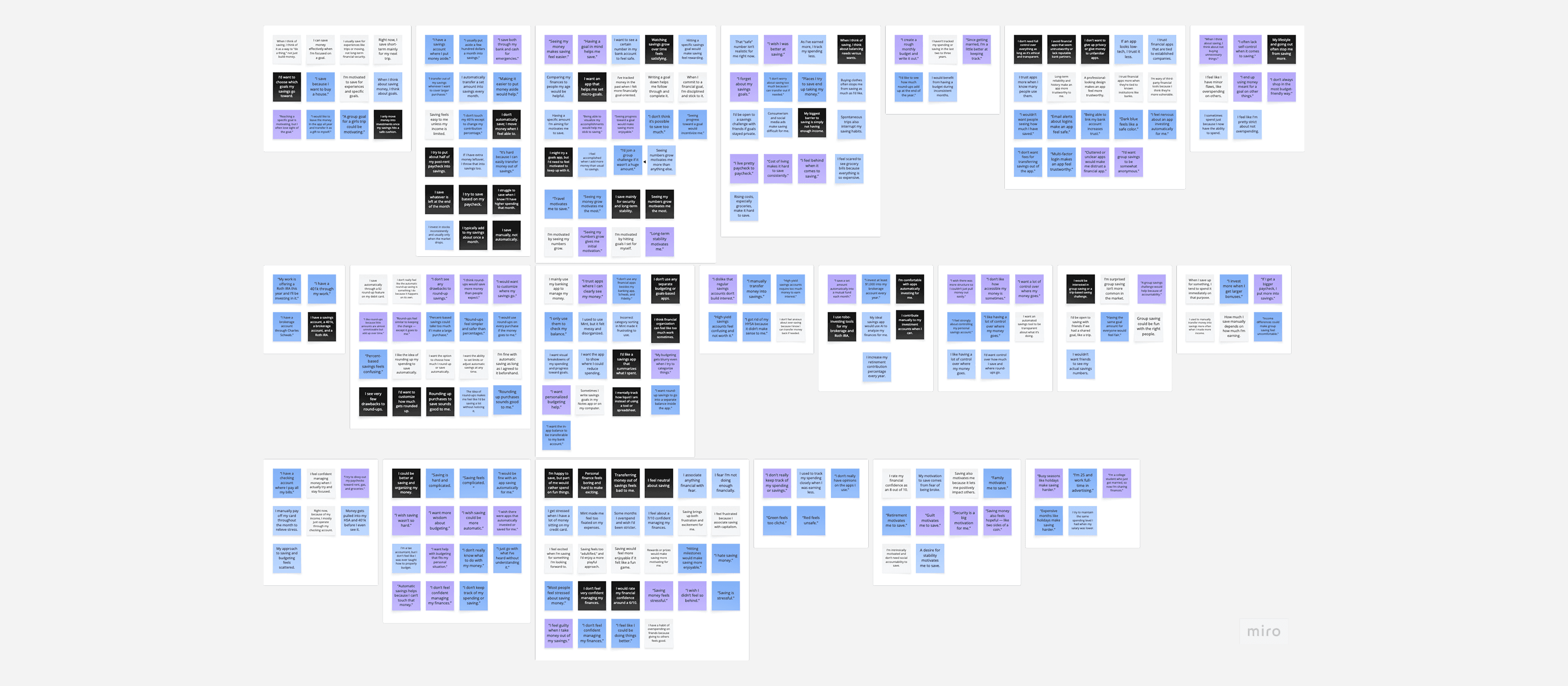
To gain a deep understanding of users’ saving behaviors, motivations, and pain points, I conducted 5 user interviews, 13 user surveys, and analyzed comparable micro-savings and investment products.

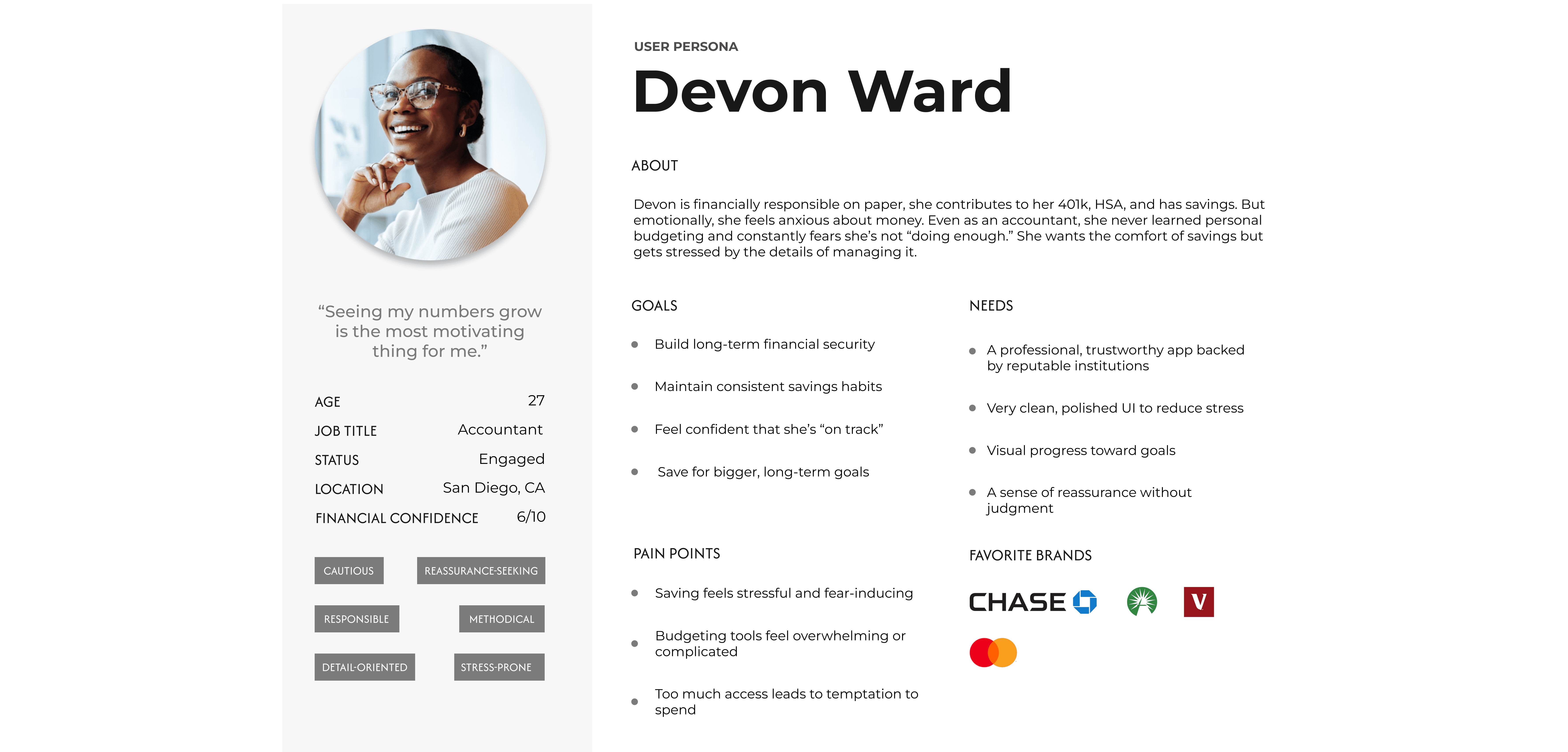
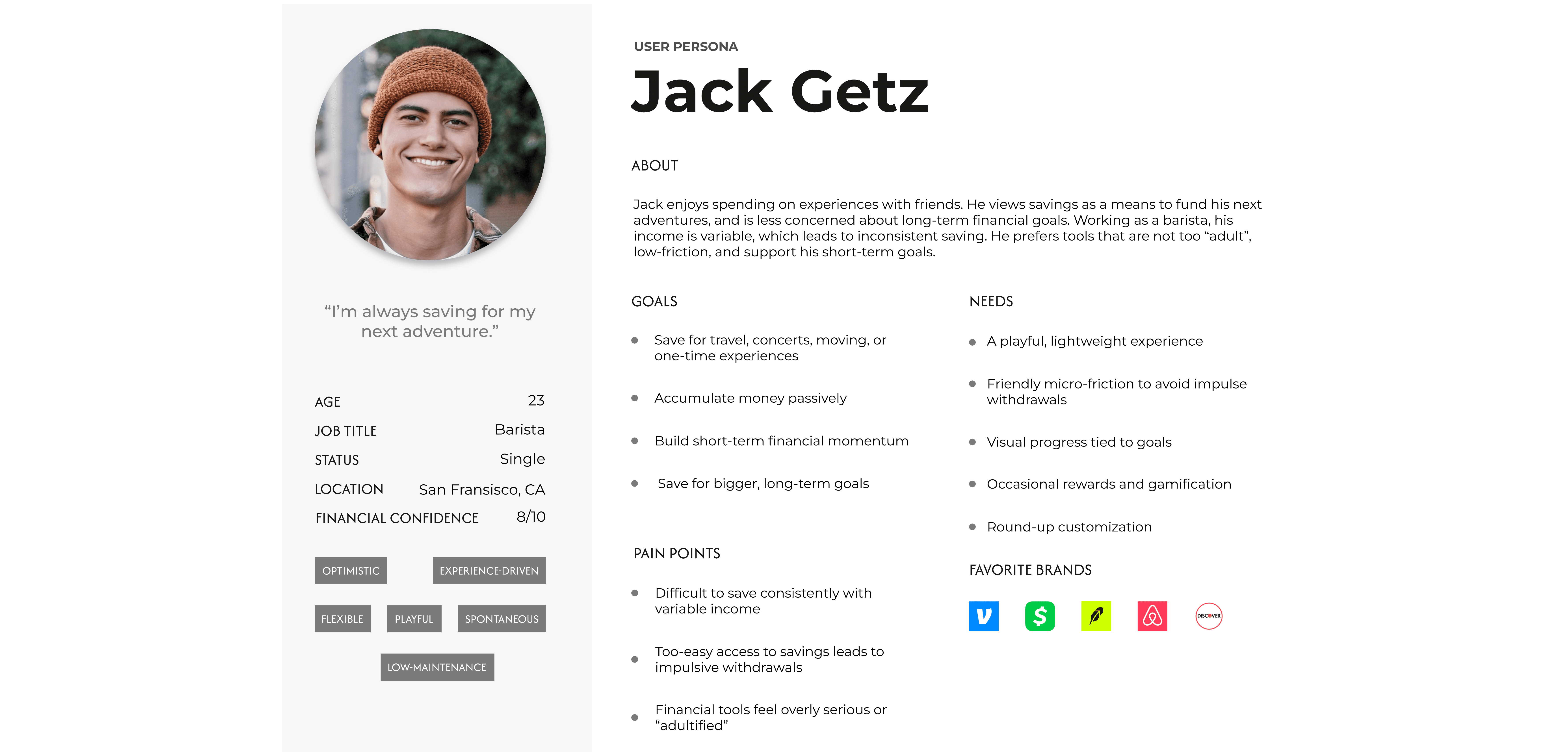
AI-assisted transcription and synthesis tools were utilized to efficiently extract key insights and create an initial affinity map, which I then refined manually to identify patterns, tensions, and areas of opportunity. These insights informed the creation of two personas that grounded design decisions throughout the project.
Key Findings

  • 80% of participants described saving using negative emotions, including stress, fear, guilt, or frustration

  • 80% of participants stated that seeing numbers grow was their strongest motivation to continue saving

  • 100% emphasized the need for:

    • Adjustable savings amounts

    • The ability to pause or withdraw at any time

    • Transparency in where money goes

  • 60% rated their financial confidence at 6 or lower out of 10, even among users actively saving or investing

  • Participants struggle to save consistently due to income variability, high cost of living, and unexpected expenses

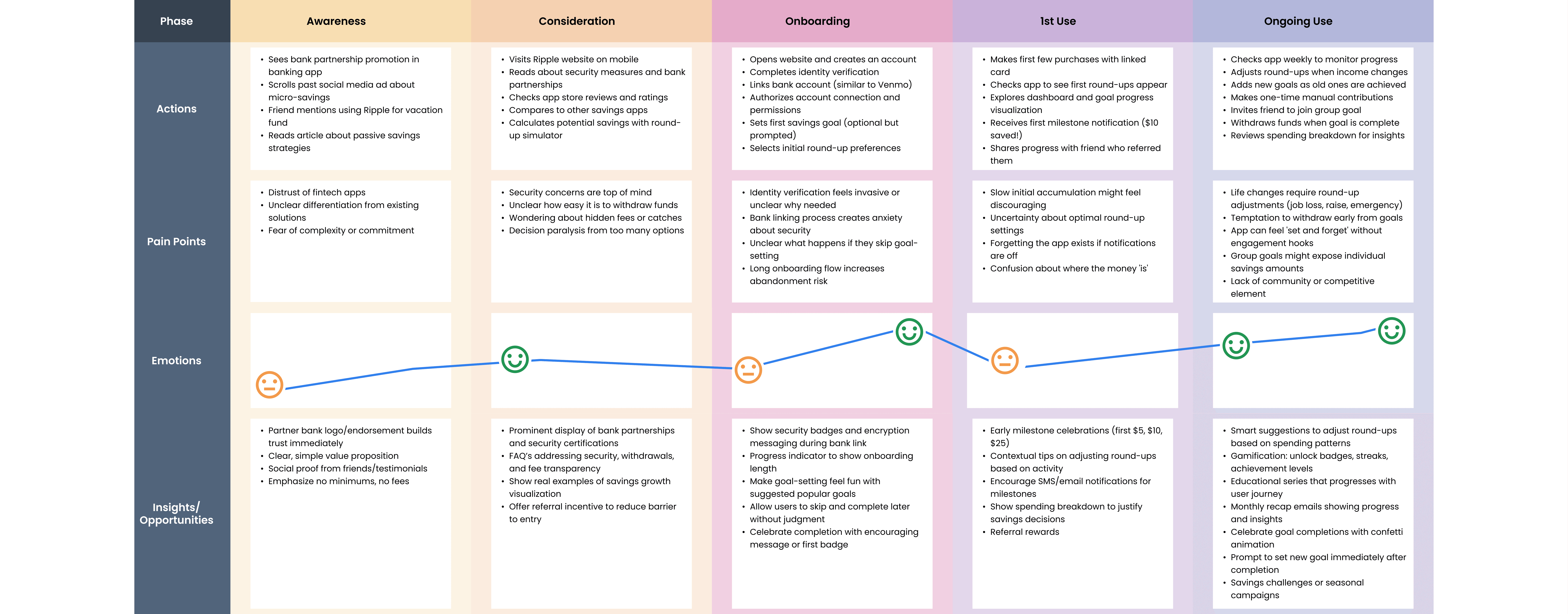
User Journey

Wireframes

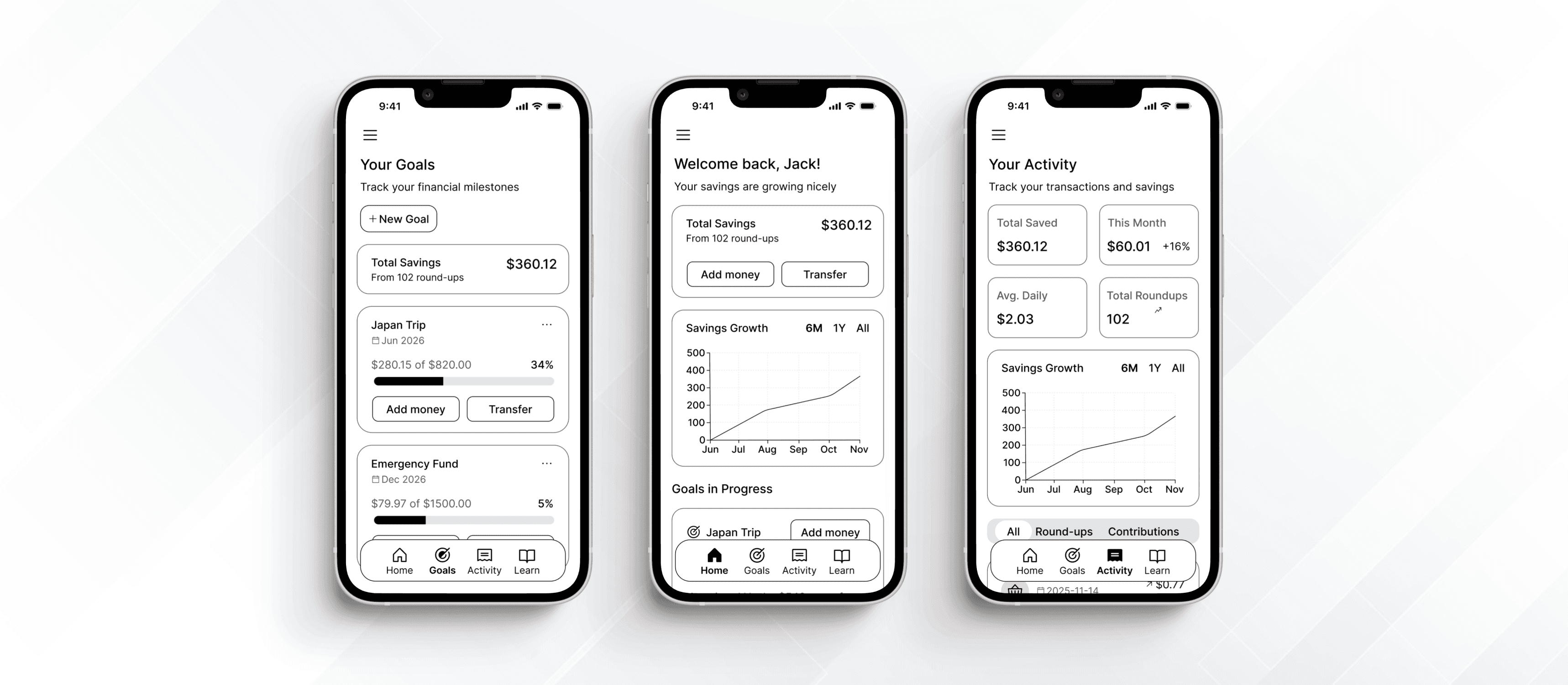
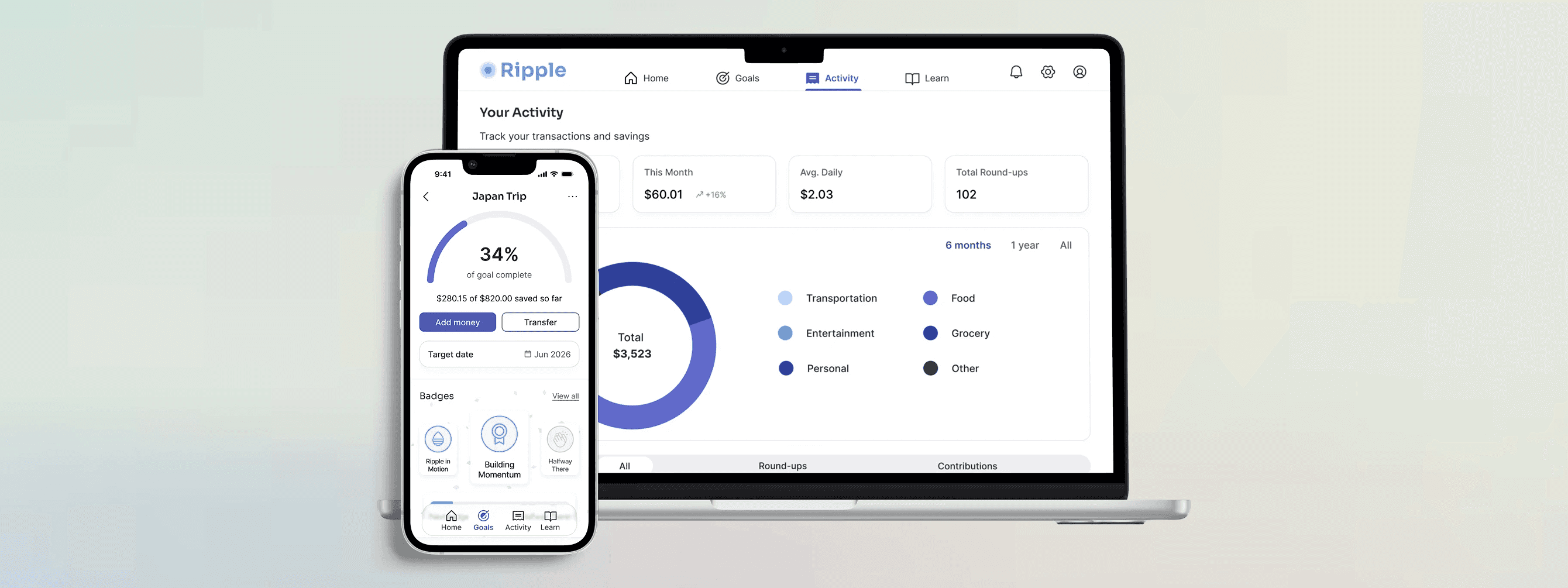
I took a mobile-first approach to reflect how young adults most often manage their finances - on their phones and on the go. This allowed me to prioritize clarity, speed, and ease of use in quick moments such as checking progress, adding money, or making real-time decisions.

After validating the mobile experience through user testing, I expanded the design to include high-fidelity tablet and desktop views to ensure the product scaled effectively across various devices.

Design System

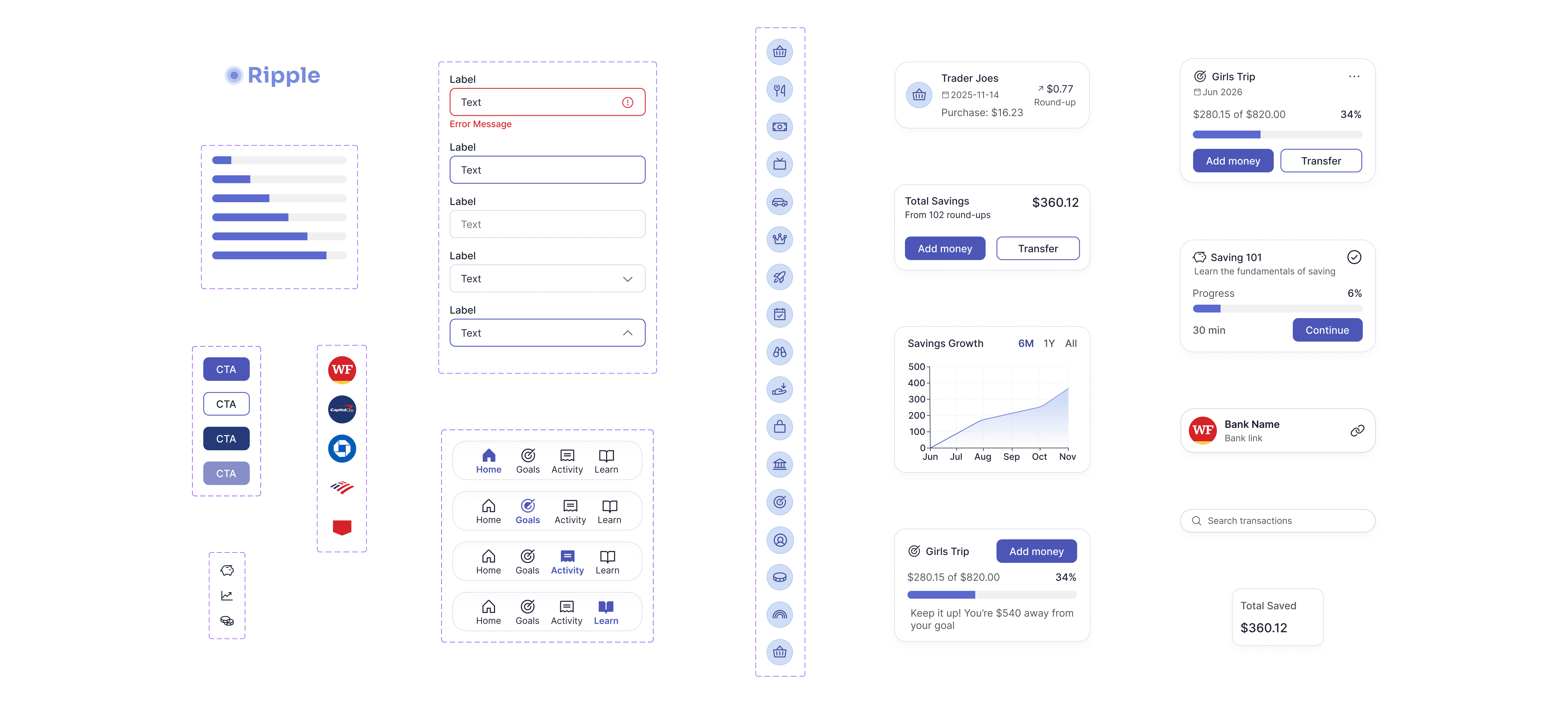
To ensure consistency and scalability across all features and responsive breakpoints, I created a comprehensive design system including:

  • Reusable components (buttons, cards, input fields, navigation elements)

  • Color palette optimized for accessibility and trust (blues/greens for financial security)

  • Typography scale that maintains readability across mobile, tablet, and desktop

  • responsive grid system

  • Interactive states and micro-interactions

This system enabled rapid iteration during usability testing and would support future feature development without compromising visual coherence.

Feature #1: Goals

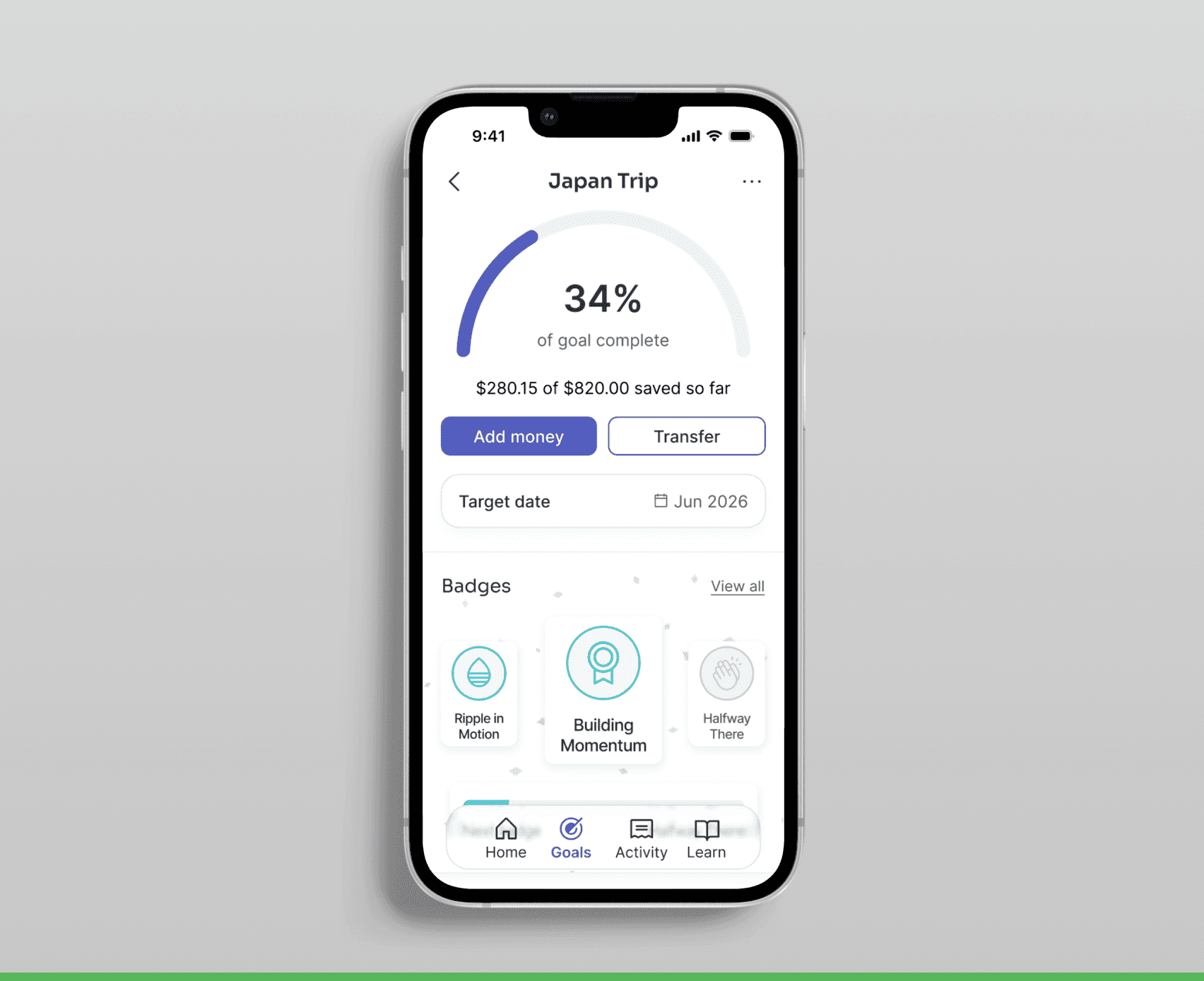
80% of users said seeing numbers grow was their strongest motivation to save. To leverage this insight, I designed a goals feature that visualizes progress through milestone badges and real-time tracking, turning saving into a rewarding experience rather than a chore.

Feature #2: Activity

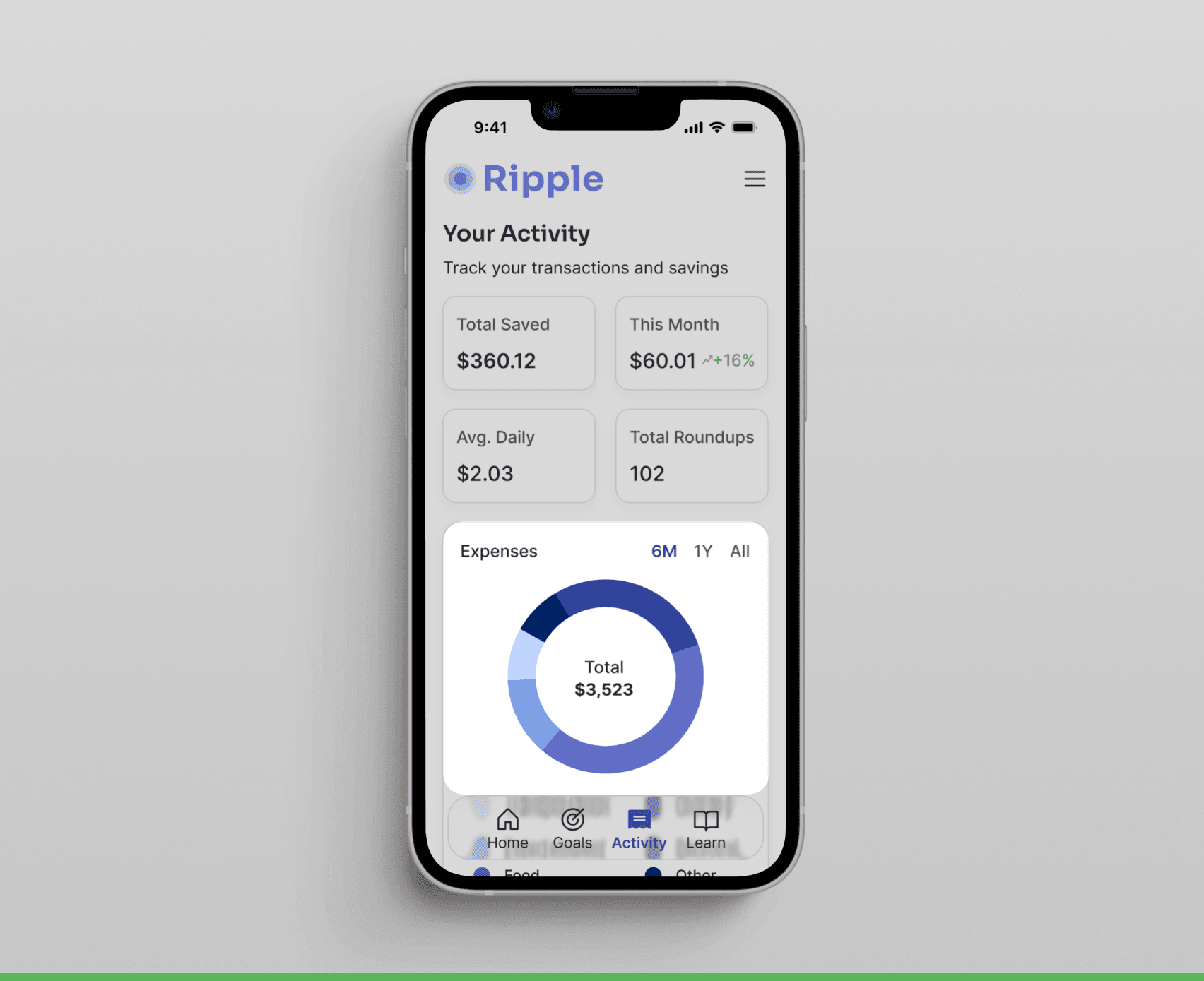
100% of users emphasized the need for transparency in where their money goes. To address this, I designed the Activity feature with clear transaction history, real-time savings metrics, and an interactive expense breakdown that categorizes spending, helping users understand their financial habits and make more intentional decisions.

Feature #3: Learning

To address low financial confidence and reduce overwhelm, I designed a Learning feature with short, approachable modules that break down financial concepts into simple, practical lessons.

Feature #4: Onboarding

To build trust and confidence early on, I designed an onboarding experience that educates users on how Ripple works, highlights affiliated banking partners, security cues, and clearly communicates the level of control users have over their money and settings.

Usability Testing

I conducted 5 remote and in-person usability tests to evaluate task clarity, completion rates, and feature comprehension. Key iterations included:
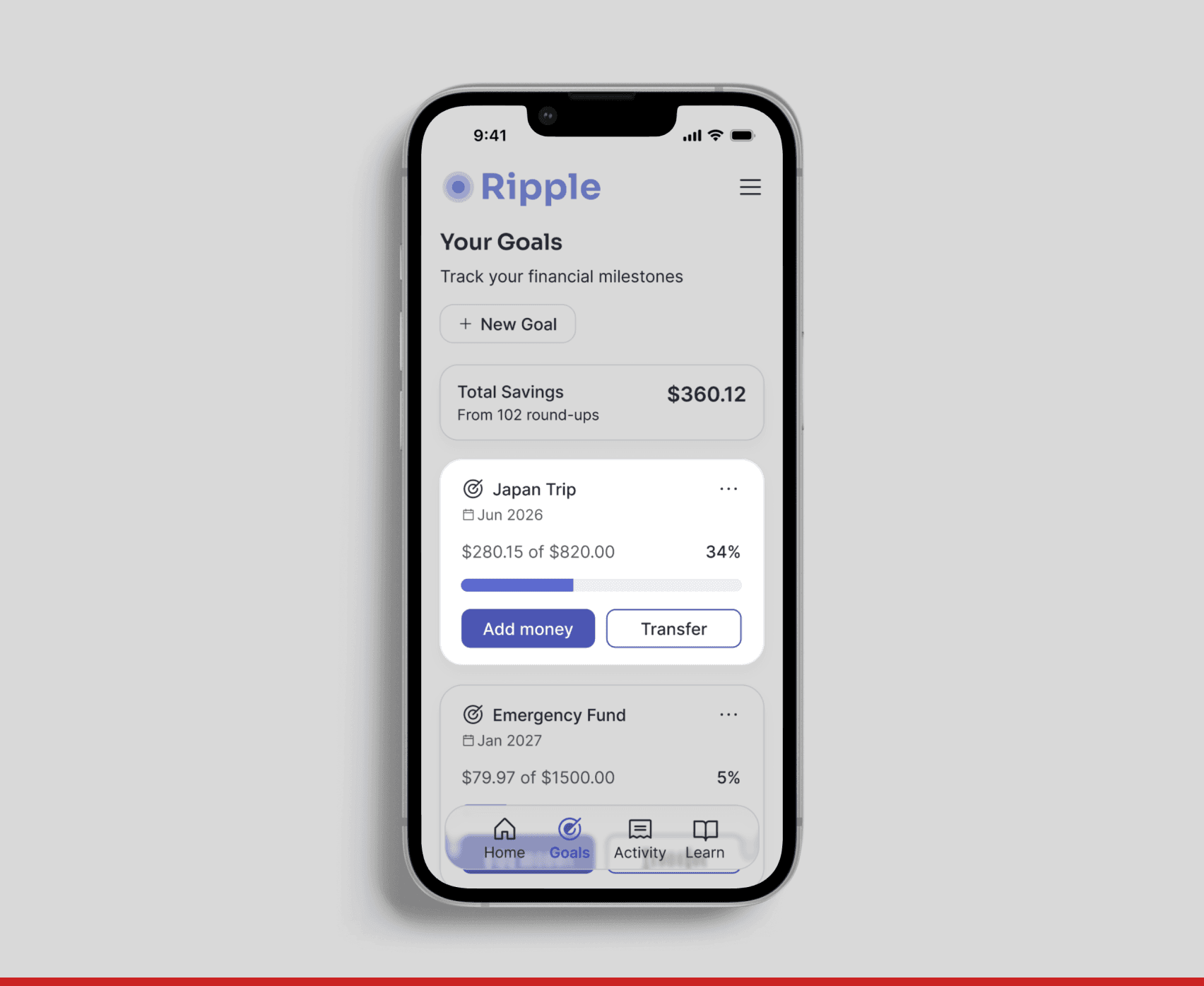
Before

Testers expected goal cards to be expandable, allowing them to view details and make adjustments without relying on the ellipsis menu.

After

To align with user expectations, I redesigned the goals experience to include an expandable goal view where users can edit goals and track in-depth progress and milestones.

Before

Testers expected goal cards to be expandable, allowing them to view details and make adjustments without relying on the ellipsis menu.

After

To align with user expectations, I redesigned the goals experience to include an expandable goal view where users can edit goals and track in-depth progress and milestones.

Before

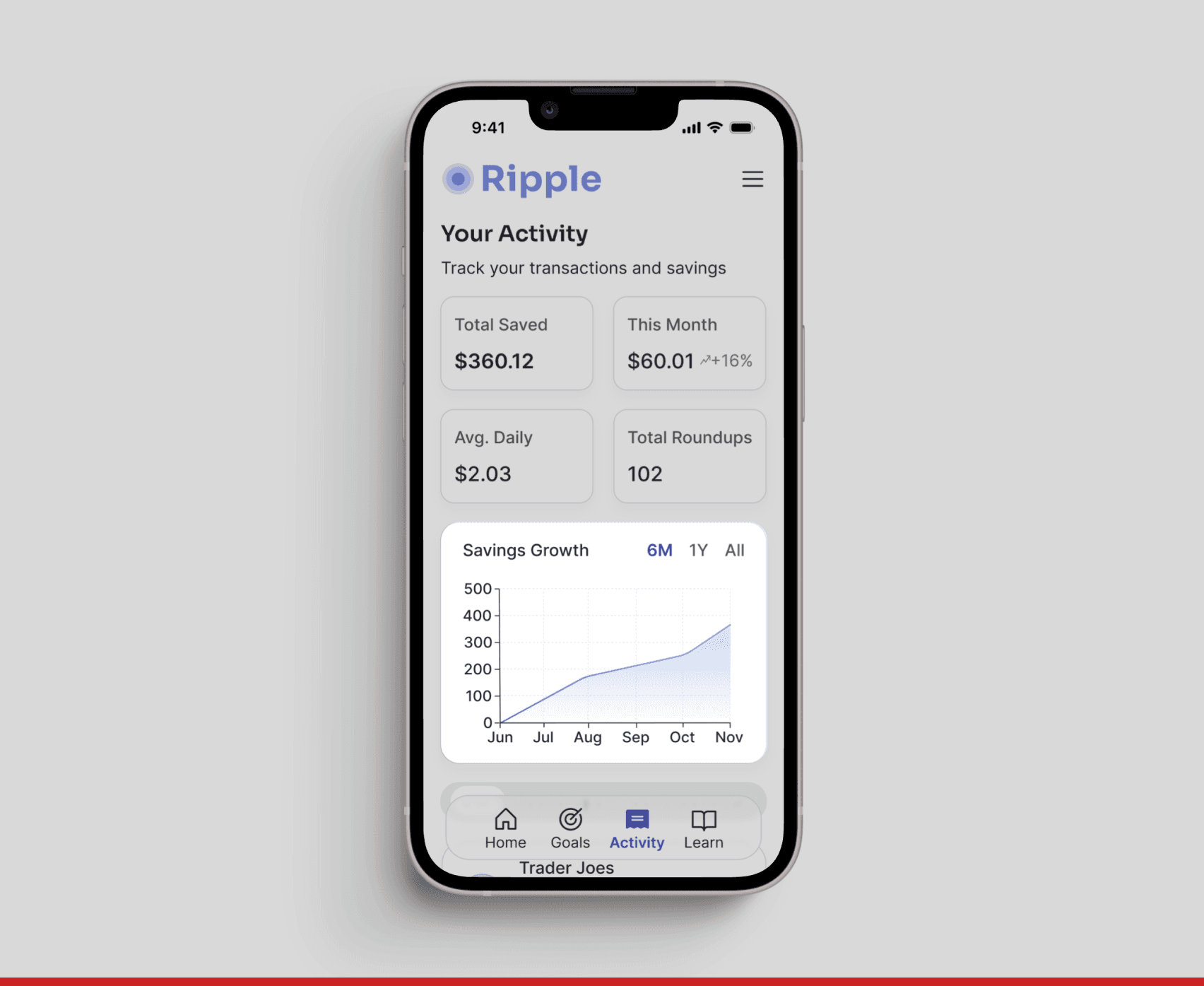
4 out of 5 users missed the expense breakdown feature, positioned below the fold under the savings growth chart.

After

I repositioned the expense breakdown higher on the page with stronger visual hierarchy, reducing time on task by 45%.

Before

4 out of 5 users missed the expense breakdown feature, positioned below the fold under the savings growth chart.

After

I repositioned the expense breakdown higher on the page with stronger visual hierarchy, reducing time on task by 45%.

Interactive Prototype

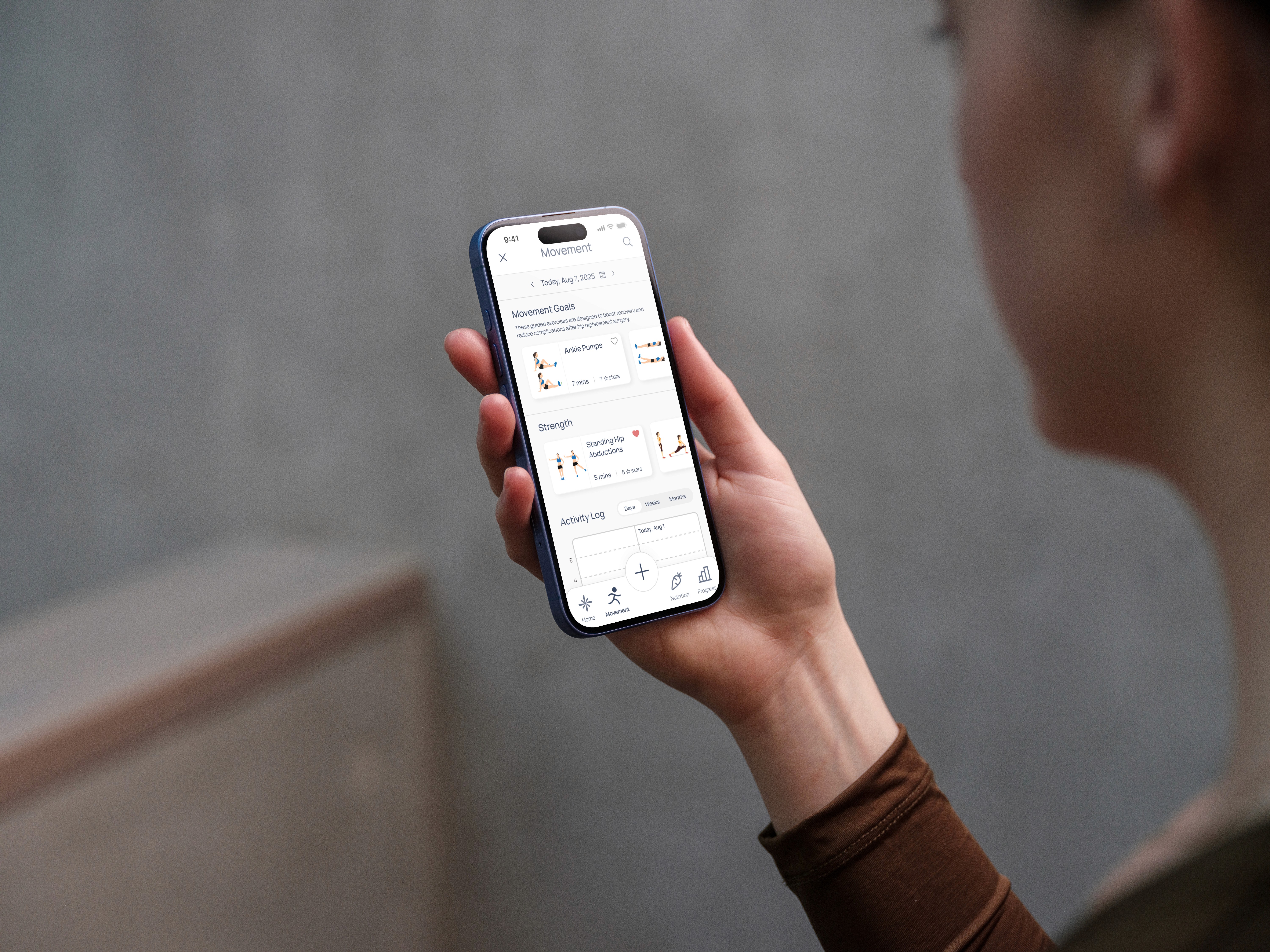
I built a functional prototype to validate core features and responsive design across devices.
Click to interact

Click to interact

Impact

Through 5 rounds of usability testing with post-test surveys, I identified critical opportunities to improve clarity, navigation, and user confidence. Iterative refinements led to measurable improvements:

  • 45% decrease in time on task by redesigning the information architecture. Users could now easily locate key features, like the expense breakdown, that were previously buried.

  • 70% increase in user confidence by introducing expandable Goal cards with detailed progress tracking, badge milestones, and clearer descriptions that aligned with user mental models

This project reinforced the importance of testing assumptions early and often. What seemed intuitive in initial designs often didn't match user mental models, particularly around information hierarchy and navigation patterns. The data-driven improvements validated that small design decisions can have a measurable impact on both task efficiency and user confidence.

other projects

other projects

Classpass

Feature Addition

ZillyPlanet

Building a Design System